
312-725-4574

Affordable Web Design for Small Business: What Should a New Website Actually Include?

A new website should do more than look professional. It should help potential customers understand your business, find the information they need, trust your team, and take the next step.

That doesn’t mean your small business needs a complicated website packed with unnecessary features. With the right planning, affordable web design for small business can include the essential tools needed to support visibility, lead generation, customer communication, and long-term growth.

At SBO Buzz, we help small businesses build customized WordPress websites with practical features, SEO-ready structure, responsive design, performance optimization, analytics and ongoing support. Our dedicated full-stack development team helps us deliver quality websites at a more accessible cost than many traditional development agencies.

So, what should a new affordable business website actually include?

1. Start With a Clear Business Goal

Before choosing colors, fonts, or images, decide what your website needs to accomplish.

Your primary goal might be to:

  • Generate phone calls
  • Collect quote requests
  • Schedule appointments
  • Sell products online
  • Explain professional services
  • Attract customers from local search
  • Build credibility for a new business

A website designed to generate service inquiries will look and function differently from an e-commerce store. Your business goals should guide the page structure, content, navigation, and calls to action.

A professional website development plan from SBO Buzz begins with understanding your objectives, audience, brand identity, competitors, and marketing priorities. This planning helps prevent wasted time and unnecessary website features.

Additionally, a clear goal makes it easier to measure results after launch. You can track whether your website is generating calls, forms, bookings, sales, or other valuable actions.

2. Build the Essential Pages

Most small businesses can launch successfully with a focused website containing approximately five to eight core pages. The exact structure depends on your industry, but an affordable new website should usually include:

  • Home: A clear explanation of who you serve, what you offer, and why customers should choose you
  • About: Your background, experience, team, and business values
  • Services or Products: Detailed information about what you sell or provide
  • Contact: Your phone number, email, form, address, hours, and service area
  • Reviews or Testimonials: Customer feedback and trust-building experiences
  • Frequently Asked Questions: Answers to common concerns about your services or process
  • Blog or Resources: Helpful content that supports SEO and customer education
  • Location or Service Area Pages: Useful for businesses serving specific cities or communities

Do not force every detail onto the homepage. Separate service pages make your website easier to navigate and give search engines more relevant information about what your business provides.

For instance, a landscaping company may benefit from individual pages for lawn care, landscape design, tree removal, and seasonal cleanup. Each page can answer specific customer questions and guide visitors toward a quote request.

3. Make It Mobile-Friendly From the Beginning

Many customers will first discover your business on a smartphone. Your website should not simply be a smaller version of the desktop design. It should be planned and tested for mobile users from the beginning.

A mobile-friendly website should include:

  • Text that is easy to read without excessive zooming
  • Buttons large enough to tap comfortably
  • Simple navigation
  • Click-to-call phone numbers
  • Forms that work properly on smaller screens
  • Images that resize without slowing down the page
  • Important information visible without unnecessary scrolling

Your primary call to action should be easy to find on a phone. If a visitor has to search through several menus to locate your phone number or contact form, you may lose a potential customer.

Responsive design is one of the most important elements of affordable web design for small business because it supports every other marketing activity. SEO, social media, Google Ads, and email campaigns may send visitors to your website, but the mobile experience influences whether they stay and take action.

Small business strategy and website planning concept

4. Use Clear Calls to Action

A call to action (CTA) tells visitors what to do next. Without one, people may read your website and leave without contacting you.

Effective CTAs include:

  • Request a Quote
  • Call Today
  • Schedule an Appointment
  • Book a Consultation
  • Start Your Project
  • Shop Now
  • Get Directions
  • Send Us a Message

Every important page should have a primary action. Place it near the top of the page, within the content, and near the footer when appropriate.

However, avoid overwhelming visitors with too many competing buttons. A service page should generally guide people toward one main next step. You can include secondary options, but the primary CTA should be visually clear.

A short form is usually more effective than a long form that asks for unnecessary information. In many cases, a name, email address, phone number, and brief description of the customer’s need are enough to begin a conversation.

5. Organize the Website for SEO

Search engine optimization (SEO) should be considered during website development, not added as an afterthought.

An SEO-ready website should include:

  • Unique page titles and meta descriptions
  • One clear H1 heading on each page
  • Logical H2 and H3 subheadings
  • Descriptive URLs
  • Image alt text
  • Internal links between related pages
  • An XML sitemap
  • Fast, responsive page layouts
  • Clear service and location information
  • A structure that search engines can crawl easily

Your content should use the language your customers actually use when searching. That may include your services, location, industry, and customer needs.

For local businesses, your website should also display consistent business information, including your name, address or service area, phone number, hours, and contact details. This information should match your Google Business Profile and other important listings.

Our website optimization services can help identify technical, content, and SEO improvements that support stronger search visibility. SEO is a long-term investment, but building the foundation correctly from the start can save time and reduce future costs.

6. Improve Speed and Performance

A slow website can frustrate visitors and reduce conversions. It may also make it harder for your business to compete in search results.

An affordable website should be designed with performance in mind. Important considerations include:

  • Compressing and properly sizing images
  • Using modern image formats such as WebP when appropriate
  • Limiting unnecessary plugins and scripts
  • Choosing reliable hosting
  • Enabling caching and compression
  • Using secure HTTPS
  • Testing loading performance on mobile devices

A practical goal is to make important pages load in approximately three seconds or less, although actual performance depends on the hosting environment, page content, and visitor connection.

Not only does a faster website create a better user experience, but it can also support SEO, paid advertising performance, and conversion rates. If you are investing in marketing traffic, your website should be ready to serve those visitors efficiently.

7. Add Trust Signals That Reduce Hesitation

People want to know they are contacting a legitimate, capable business. Your website should make that confidence easier.

Useful trust signals include:

  • Customer reviews and testimonials
  • Real team or workplace photos
  • Industry certifications and memberships
  • Awards or recognition
  • Service guarantees where applicable
  • Years of experience
  • Case studies
  • Professional affiliations
  • Secure forms and an SSL certificate
  • Clear contact information

A testimonial is more useful when it explains a result rather than simply saying, “Great service.” For example, a customer might describe how your team saved time, solved a problem, improved their business, or made the process easier.

Place trust signals near calls to action so visitors see reassurance at the moment they are deciding whether to contact you.

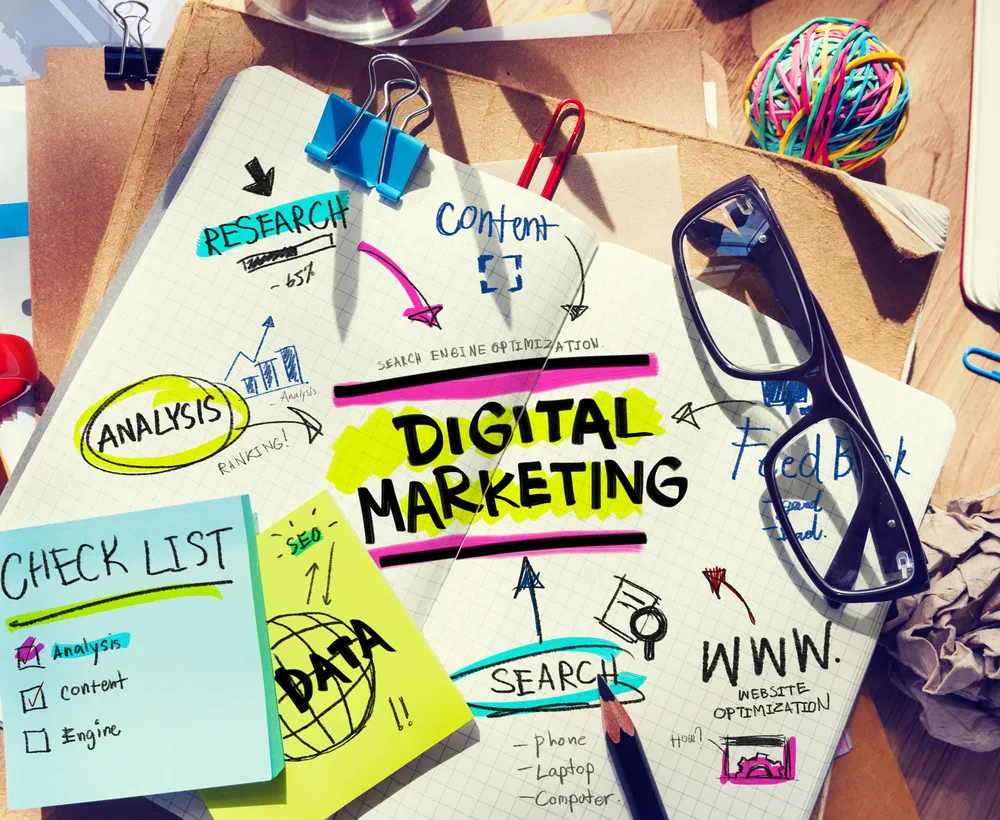
Digital marketing planning workspace with SEO and website notes

8. Include Analytics and Conversion Tracking

Your website should provide information about what is working. Basic analytics and tracking make that possible.

At a minimum, consider setting up:

  • Google Analytics 4
  • Google Search Console
  • Form submission tracking
  • Click-to-call tracking
  • Email click tracking
  • Appointment or booking tracking
  • Google Ads conversion tracking when running paid campaigns

Analytics can show which pages receive the most attention, how visitors find your website, and which actions they take. This information helps you make informed decisions instead of guessing.

For example, if many people visit a service page but few submit a form, the page may need a clearer offer, stronger trust signals, a better CTA, or a simpler contact process.

A new website should not only attract visitors. It should help you understand those visitors and improve your marketing over time.

9. Make Updates Practical and Affordable

Your website should be easy for your team to maintain. A content management system (CMS), such as WordPress, can allow you to update text, images, blog posts, services, and announcements without rebuilding the entire site.

However, easy editing does not eliminate the need for security and maintenance. WordPress websites require regular updates, backups, plugin management, and security monitoring.

SBO Buzz provides ongoing website support and development, including WordPress updates, PHP updates, plugin updates, security patches, content management, and performance improvements when needed.

This ongoing support can be especially valuable for busy small business owners. You can focus on serving customers while our team helps keep your website current, secure, and useful.

10. Add Only Features That Support Your Business

Affordable web design does not mean adding every available feature. It means investing in the features that support your goals.

Depending on your business, useful additions may include:

  • Online appointment scheduling
  • E-commerce functionality
  • Newsletter signup
  • Customer portal
  • Live chat or messaging
  • Online payment tools
  • Service-area maps
  • Downloadable forms
  • Social media integration
  • Review platform links

However, unnecessary animations, complicated menus, autoplay videos, and excessive plugins can increase costs and slow down your website.

Start with the essentials. You can add new features as your business grows and you learn more about what your customers need.

Claim a Free One-Hour Google Ads Audit

Your website is also an important part of your paid advertising strategy. If you are running Google Ads, visitors need to land on pages that are fast, relevant, trustworthy, and designed to convert.

SBO Buzz offers a free one-hour audit of your Google Ads account. During the audit, our team can review:

  • Campaign structure
  • Conversion tracking
  • Bidding strategy
  • Landing page alignment and performance
  • Keyword and search-term relevance
  • Opportunities to reduce wasted spend
  • Campaign and conversion optimization issues

This review can help identify whether your website and advertising campaigns are working together effectively. You can also learn more about our PPC marketing services or contact SBO Buzz to request your audit.

Build a Website That Helps Your Business Grow

A new affordable website should be professional, mobile-friendly, fast, easy to navigate, SEO-ready, and focused on measurable customer actions. It should explain your services clearly, build trust, make contacting you simple, and give you useful information about visitor behavior.

You do not need a website filled with unnecessary features to compete online. You need thoughtful planning, dependable development, useful content, and ongoing attention.

At SBO Buzz, we help small businesses build and manage websites that support their broader digital marketing strategy. Our US-based team understands the needs of local businesses, while our dedicated full-stack development team in India helps us deliver quality websites at an affordable price.

Whether you need a new WordPress website, website optimization, SEO support, or help connecting your website to Google Ads, we can provide practical guidance from planning through launch and ongoing improvement.

Visit our digital marketing services page or schedule a consultation. You can receive customized, measurable, and expert support without the cost and complexity of a traditional agency.

5 Signs Your Small Business Website Was Built to Look Pretty, Not to Convert

s

A professional-looking website is important. Your site is often the first place a potential customer learns about your business, so thoughtful design, appealing colors, and polished photography all matter.

However, visual appeal alone doesn't create leads. A website can look impressive and still make it difficult for visitors to call, request a quote, schedule an appointment, or make a purchase.

Your website needs to do more than look good. It needs to guide visitors toward a clear next step.

At SBO Buzz, we help small businesses build, manage, and improve websites that support real business goals. Use the five signs below to determine whether your website is designed to convert, or simply designed to look pretty.

1. Clarify What You Do Within a Few Seconds

When someone lands on your homepage, they should quickly understand three things:

  • What your business offers
  • Who you serve
  • Why they should choose you

If your hero section features a clever slogan, a large background image, or vague wording such as “Experience the Difference,” visitors may still be unsure what you actually do.

A strong homepage headline should communicate your value in plain language. For example:

Affordable residential plumbing services for homeowners in Naperville.

This is much clearer than:

Creating Better Living Experiences.

Your homepage does not need to explain everything immediately. However, it should give visitors enough information to know they are in the right place.

Your supporting text can then explain your services, service area, experience, or competitive advantage. Keep the message direct and easy to scan.

Look for these warning signs:

  • Your headline could describe almost any business
  • Your service area is difficult to find
  • Visitors need to scroll before learning what you offer
  • Your main benefit is hidden in a long paragraph
  • Your homepage focuses more on your company than on the customer’s needs

A clear message improves the customer experience and helps qualified visitors continue exploring your website. If your current homepage is confusing, our team can help you review the content, structure, and messaging through our website optimization services.

2. Make Your Main Call to Action Impossible to Miss

A conversion is any valuable action a visitor takes on your website. This might include calling your business, submitting a form, booking an appointment, downloading a guide, or requesting a quote.

If your website does not make the next step obvious, visitors may leave, even if they are interested in your service.

Your website should have one primary call to action (CTA) for each important page. A CTA tells visitors what to do next. Examples include:

  • Request a Free Estimate
  • Schedule a Consultation
  • Call Our Office
  • Book an Appointment
  • Get a Custom Quote
  • Start Your Project

“Learn More” is not always a strong CTA because it does not explain what happens next or why the visitor should click.

Place your primary CTA in several helpful locations:

  1. In the website header
  2. Near the top of the homepage
  3. After major service descriptions
  4. Beside testimonials or trust signals
  5. At the bottom of important pages

Your CTA should stand out without becoming distracting. Use a consistent button color, action-oriented wording, and enough spacing around the button so it is easy to find.

Additionally, avoid giving every button equal visual importance. If your homepage includes five competing actions, visitors may not know which one matters most.

A focused CTA does not limit your website. It gives visitors direction. We can help you identify the right conversion goal and organize your pages around it.

3. Test the Website on a Real Phone

A website may look excellent on a large desktop monitor and still provide a frustrating mobile experience.

Many customers search for local businesses from their phones. They may be standing in a driveway, sitting in a waiting room, or comparing service providers while traveling. If your website requires too much zooming, scrolling, or tapping, you may lose the lead before the customer contacts you.

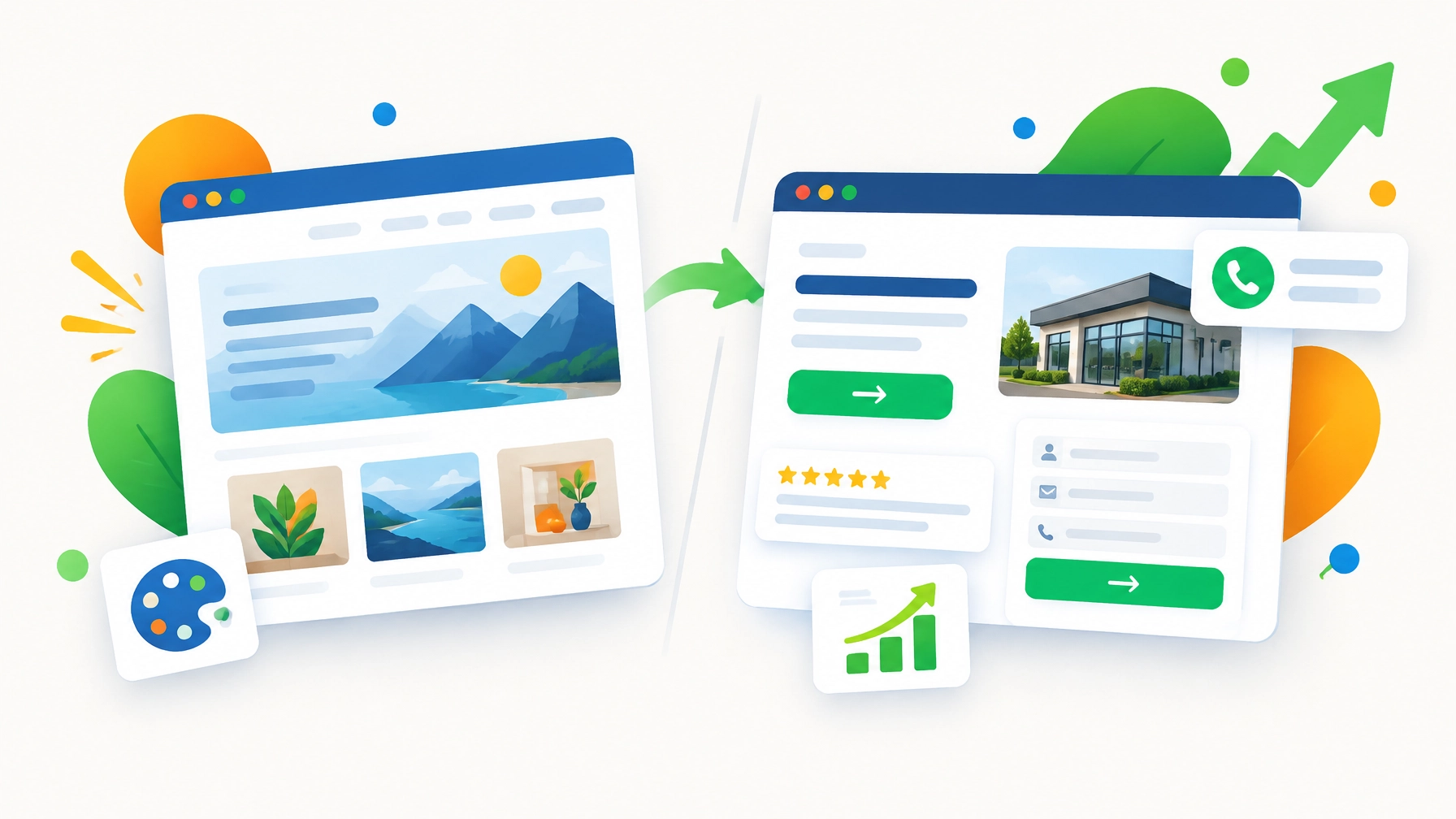
Responsive small business website shown on a smartphone and desktop with contact and conversion features

Open your website on your phone and test the actions a potential customer would take. Check whether you can:

  • Read the headline without zooming
  • Tap the phone number easily
  • Open the navigation menu
  • Complete the contact form
  • Find your address and business hours
  • View service information without awkward scrolling
  • Locate the primary CTA quickly

Pay special attention to forms. If a form asks for too much information, customers may abandon it. For an initial inquiry, you may only need a name, email address, phone number, and short message.

Mobile-friendly design is more than shrinking a desktop page. It means organizing content for smaller screens and making important actions easy to complete with a thumb.

As we mentioned earlier, good design should support business results. Our web design and development team can help you create a responsive website that looks professional and works smoothly across devices.

4. Improve Speed Before Adding More Visual Effects

Large images, video backgrounds, animations, third-party scripts, and unnecessary plugins can make a website look modern. They can also slow it down.

When pages take too long to load, visitors may leave before seeing your services or CTA. This is especially important for mobile users and people browsing on slower connections.

A visually rich website is only helpful when the page remains easy and fast to use.

Review these common performance problems:

  • Oversized image files
  • Uncompressed photographs
  • Too many animations
  • Unnecessary plugins
  • Outdated website themes
  • Excessive tracking scripts
  • Embedded videos that load automatically
  • Poorly optimized forms or booking tools

Website performance and trust optimization concept with speed indicators, reviews, and conversion analytics

You do not necessarily need to remove every visual element. Instead, prioritize the ones that support your message and remove anything that creates distraction or delay.

A practical website performance review should focus first on your homepage, main service pages, and contact or booking page. These are usually the pages most connected to customer decisions.

Our team can review your website structure, images, content, and user experience to identify opportunities for improvement. Small technical adjustments can make the website easier to use, easier to manage, and more effective.

5. Add Trust Signals Where Customers Make Decisions

A customer may like your website and still hesitate to contact you if the business does not feel credible.

Trust signals reduce that hesitation. They give visitors evidence that your business is experienced, reliable, and worth contacting.

Useful trust signals include:

  • Customer reviews
  • Testimonials with names or business details
  • Before-and-after photos
  • Case studies
  • Industry certifications
  • Awards and recognition
  • Service guarantees
  • Clear contact information
  • Photos of your team or location
  • Links to active social media profiles

Trust signals should not be hidden on a separate testimonials page. Place them close to the actions you want visitors to take.

For instance, include a short testimonial beside your “Request a Quote” button. Add review highlights near your service descriptions. Display certifications near a contact form.

Your website should also look current. Broken links, outdated offers, missing images, and old business information can reduce confidence quickly. Even a beautiful design will not compensate for inaccurate details.

You can review your online reputation and website credibility together. Our digital marketing services can help connect website content, local SEO, reviews, and customer engagement into a more consistent online presence.

Turn a Pretty Website Into a More Effective Business Tool

Your website does not need to be complicated to convert visitors. It needs to be clear, useful, trustworthy, and easy to navigate.

Start with this short review:

  • Can a visitor understand your business within a few seconds?
  • Is your primary CTA visible and specific?
  • Does the site work properly on a phone?
  • Do important pages load quickly?
  • Are reviews and trust signals displayed near key actions?

If you answered “no” to one or more questions, your website may not need a complete redesign. It may need focused optimization. In other cases, an outdated structure or poor mobile experience may make a new website the more affordable long-term solution.

Marketing strategy planning workspace representing website review, optimization, and measurable business growth

At SBO Buzz, we can help with the full process: from website planning and design to content, SEO, conversion improvements, monitoring, and reporting. We work with small businesses that need professional support without the cost and complexity of a traditional large agency.

Request Your Free Website and Google Ads Review

Your website and advertising should work together. A well-designed landing page can improve the performance of paid campaigns, while accurate conversion tracking helps you understand which marketing activities generate results.

As part of our support for small businesses, SBO Buzz offers a 1-hour free Google Ads audit. During the audit, we can review:

  • Campaign structure
  • Conversion tracking
  • Bidding and budget settings
  • Landing page experience
  • Wasted ad spend
  • Campaign and conversion optimization issues

This review is a practical way to identify opportunities before you increase your advertising budget. You can also use the findings to improve the connection between your ads, landing pages, and website CTAs.

Contact SBO Buzz to request your free 1-hour Google Ads audit and learn how your website and campaigns can work more effectively together.

A good website should represent your business professionally, but it should also help customers take action. With affordable web design, ongoing optimization, local SEO, and practical marketing guidance, we can help you build an online presence that looks polished, works efficiently, and supports measurable growth.

Further reading

Stop Wasting Money on Google Ads: 7 Quick Fixes Your PPC Management Should Already Be Handling

Google Ads can help your small business reach potential customers quickly. However, paid search results do not come from simply adding keywords, writing a few headlines, and waiting for leads.

If your campaigns are not monitored and optimized regularly, your budget can disappear through irrelevant clicks, weak landing pages, inaccurate conversion tracking, and poorly managed bidding. The good news is that these challenges are manageable when your PPC management process includes the right checks.

At SBO Buzz, we help small businesses create, manage, monitor, and improve Google Ads campaigns with practical strategies and measurable goals. As a Certified Google Partner, our team understands that effective PPC management is not only about generating clicks. It is about attracting qualified prospects and improving the value of every advertising dollar.

Here are seven quick fixes your Google Ads management should already be handling.

1. Review Your Search Terms and Remove Irrelevant Clicks

Your keywords tell Google when you want your ads to appear. However, the actual search terms people use can be different from the keywords you selected.

For instance, a business offering premium residential plumbing may target “plumber near me.” The campaign could still receive searches for:

  • Plumbing jobs
  • Plumbing training courses
  • Free plumbing advice
  • Commercial plumbing equipment
  • DIY plumbing repairs

Some of these searches may create impressions or clicks without producing qualified leads. That is where a regular search-term review becomes important.

Your PPC management should review search terms and add negative keywords that prevent your ads from appearing for irrelevant searches. This helps you:

  • Reduce wasted clicks
  • Improve keyword relevance
  • Protect your advertising budget
  • Increase the percentage of qualified visitors
  • Give Google better data for campaign optimization

Search-term reviews should be part of an ongoing process, not a one-time setup task. Ask your PPC manager how frequently this work is being completed.

2. Fix Conversion Tracking Before Increasing Your Budget

Clicks and impressions are useful, but they do not tell you whether your advertising is producing business results.

A conversion may be a completed contact form, phone call, appointment request, purchase, quote request, or another action that matters to your business. If these actions are not tracked correctly, Google cannot properly evaluate campaign performance.

Your campaign may appear successful because it receives many clicks, while your actual sales and qualified leads remain low. In other cases, conversions may be double-counted or weak actions: such as page views: may be treated as valuable leads.

Google recommends using conversion tracking to understand which interactions lead to meaningful customer activity. You can review Google’s conversion tracking guidance for more information.

Your account should clearly distinguish between:

  • Primary conversions: Qualified leads, sales, booked appointments, or valuable phone calls
  • Secondary conversions: Form starts, page views, downloads, or other early-stage actions

Additionally, conversion tracking should be tested after website updates, form changes, analytics changes, or landing page redesigns. A small technical issue can quietly affect your reporting for weeks.

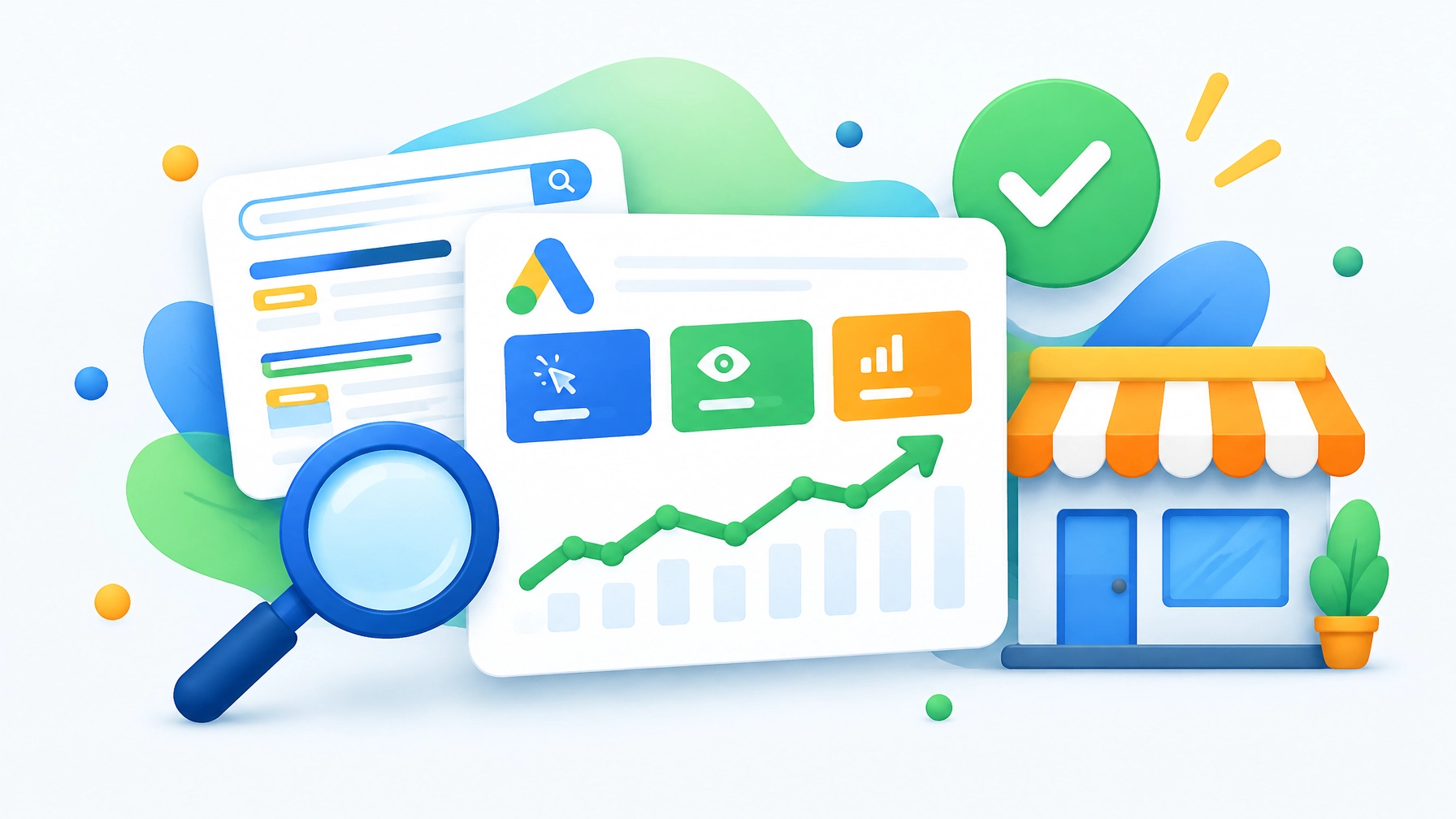
Google Ads performance dashboard showing clicks, impressions, and CTR metrics

3. Improve Ad Copy and Match It to Search Intent

Your advertisements should quickly explain why someone should choose your business. Generic ad copy can make your company look similar to every competitor in the search results.

Effective ad copy should connect the customer’s search intent with a clear benefit. Depending on your business, that could include:

  • Same-day service
  • Free estimates
  • Local experience
  • Flexible scheduling
  • Transparent pricing
  • Emergency availability
  • Specialized expertise
  • A simple next step

Your headlines and descriptions should also match the keywords and landing page. Someone searching for “affordable HVAC repair” should see an ad and page that clearly address affordable HVAC repair: not a general homepage with unrelated information.

However, avoid making promises you cannot support. Accurate, relevant messaging helps protect your reputation and creates a better experience after the click.

Your PPC management process should test different headlines, descriptions, calls to action, and offers. Over time, performance data can show which messages generate stronger engagement and more qualified conversions.

4. Send Traffic to Focused Landing Pages

One of the most common Google Ads mistakes is sending every visitor to the homepage.

Your homepage may explain your overall business, but it may not provide the focused information a paid visitor needs. A dedicated landing page can match the ad, explain the service, answer common questions, and make it easy to take action.

A strong landing page should include:

  1. A clear headline related to the search and advertisement
  2. A concise explanation of the service
  3. Trust signals such as reviews, certifications, or experience
  4. A visible phone number or contact form
  5. One primary call to action
  6. Mobile-friendly design
  7. Fast loading performance

If your landing page is confusing, slow, or difficult to use on a phone, increasing your ad budget may simply increase wasted spending.

As we mentioned earlier, Google Ads performance depends on more than keywords. Your website experience is part of your advertising strategy. Our website optimization services can help identify issues that may be reducing your conversion rate.

Need help finding campaign or landing page issues? Contact SBO Buzz to discuss your account and website together.

5. Manage Geographic Targeting and Ad Scheduling

Local businesses need to control where and when their ads appear.

If you serve customers in specific cities, neighborhoods, or service areas, your campaign should be configured around those locations. Otherwise, you may pay for clicks from people who are too far away to become customers.

Your PPC management should review:

  • Target locations
  • Excluded locations
  • Presence versus interest settings
  • Radius targeting
  • Location-specific ad copy
  • Business hours
  • Call-only or phone-focused schedules
  • Device performance
  • Time-of-day performance

For example, a local contractor may want to show ads in nearby service areas during business hours when calls can be answered quickly. A 24-hour service provider may use a different schedule.

Ad scheduling does not mean automatically turning campaigns off during every low-volume period. It means reviewing performance and aligning your budget with the times and locations that produce meaningful opportunities.

6. Use the Right Bidding Strategy for Your Data

Google Ads offers automated bidding options designed to help advertisers reach different goals. However, automated bidding is not a substitute for accurate conversion data.

If your account is tracking the wrong actions, Google may optimize toward low-quality activity. A campaign could generate more form submissions while producing fewer qualified leads because the system is learning from incomplete information.

Your bidding strategy should reflect your objective:

  • Maximize conversions can support lead or sales volume when tracking is reliable.
  • Target CPA focuses on acquiring conversions around a desired cost.
  • Maximize conversion value is useful when different conversions have different values.
  • Target ROAS can support revenue-focused campaigns when accurate value data is available.

Small businesses should avoid changing bidding strategies too frequently. Constant changes can make performance difficult to evaluate and may interrupt the learning process.

Instead, make informed adjustments based on conversion quality, cost per lead, sales value, and business capacity. Your advertising strategy should support profitable growth: not simply a larger number inside the Google Ads dashboard.

7. Monitor Performance and Act on the Findings

Google Ads management should include regular monitoring, reporting, and optimization. A campaign that performed well last month may need attention today because competition, search behavior, costs, and customer demand continue to change.

Overhead workspace showing a hands-on digital marketing strategy planning process

At a minimum, review:

  • Clicks and impressions
  • Click-through rate
  • Cost per click
  • Conversion rate
  • Cost per conversion
  • Qualified leads
  • Phone calls
  • Search terms
  • Budget pacing
  • Landing page performance
  • Lead-to-customer rate
  • Revenue or estimated customer value

A practical review schedule may include:

  • Weekly checks: Search terms, budget pacing, major cost changes, and obvious campaign issues
  • Monthly reviews: Conversion quality, campaign performance, landing pages, devices, locations, and ad variations
  • Quarterly audits: Conversion setup, account structure, keyword strategy, bidding, tracking, and overall business goals

Reporting should not overwhelm you with numbers that do not support decisions. The purpose of a report is to show what is working, what needs attention, and what your team should do next.

Get a Free One-Hour Google Ads Account Audit

If you are not sure whether your campaigns are being managed correctly, SBO Buzz can help you take a closer look.

We offer a free one-hour audit of your Google Ads account to check for issues affecting campaign performance and conversion optimization. During the audit, we can review areas such as:

  • Campaign structure
  • Keyword and search-term relevance
  • Negative keyword opportunities
  • Conversion tracking
  • Primary and secondary conversion actions
  • Bidding strategy
  • Geographic and scheduling settings
  • Ad messaging
  • Landing page alignment
  • Opportunities to reduce wasted spending

This is a practical review designed to help you understand what may be limiting your results. You do not need to commit to a long-term marketing plan before receiving useful observations about your account.

You can learn more about our PPC marketing services, visit our digital marketing services page, or schedule a consultation. You can also call 312-725-4574 to discuss your account.

Turn More Clicks Into Better Business Opportunities

Google Ads can provide immediate visibility, but the strongest results come from consistent management. Search terms need to be refined. Conversion tracking needs to be tested. Landing pages need to support the customer journey. Bidding and budgets need to reflect real business goals.

Not only does ongoing PPC management help reduce wasted spending, but it can also improve targeting, reporting, decision-making, and lead quality. That is the true value of a carefully managed Google Ads campaign.

Your small business does not need an unlimited advertising budget to compete. You need accurate tracking, clear priorities, regular optimization, and a trusted team that can help you make informed decisions.

With affordable PPC support from SBO Buzz, you can receive customized recommendations, ongoing monitoring, and practical campaign management designed around your goals. Start with a free one-hour Google Ads account audit and discover where your campaigns may have opportunities to improve.

Google Ads vs. Local SEO: Where Should Your Small Business Spend Its First $1,000?

If you have $1,000 to invest in marketing, you want that money to create meaningful progress: not disappear into a campaign you cannot measure.

For many small businesses, the decision comes down to two powerful search marketing options: Google Ads and local SEO. Both can help you reach people searching for your products or services, but they work on different timelines and support different business goals.

Google Ads can help you generate visibility and potential leads quickly. Local SEO can build a lasting online presence that continues attracting customers over time. The right choice depends on your industry, location, competition, website, cash-flow needs, and whether your $1,000 is a one-time budget or the beginning of an ongoing investment.

Let us compare both options and create a practical plan for your first $1,000.

Look at the Biggest Difference: Speed Versus Staying Power

Google Ads is a paid advertising channel. You bid on keywords, create advertisements, and pay when people click or interact with your ads. With the right targeting and landing page, your business can begin appearing in search results shortly after the campaign launches.

Local SEO focuses on improving your unpaid visibility in Google Search and Google Maps. It may include:

  • Optimizing your Google Business Profile
  • Improving service and location pages on your website
  • Building accurate local citations
  • Earning and responding to customer reviews
  • Creating useful, locally relevant content
  • Fixing technical website issues
  • Tracking rankings, calls, form submissions, and organic traffic

The main distinction is simple:

  • Google Ads can create immediate opportunities, but traffic generally stops when the budget stops.
  • Local SEO takes longer to build, but the improvements can continue producing value after the initial work is completed.

As a result, neither channel is automatically “better.” The strongest choice is the one that matches your current business situation.

Use Google Ads When You Need Leads Soon

If you need customers within the next few weeks, Google Ads is usually the faster option.

A well-managed campaign can place your business in front of people who are actively searching for a solution. For example, someone searching for “emergency HVAC repair near me” or “family dentist in [city]” may already be ready to contact a provider.

Google Ads performance dashboard showing clicks, impressions, and CTR metrics

However, fast visibility does not guarantee profitable results. Your performance depends on several factors, including:

  • Keyword competition
  • Cost per click (CPC)
  • Ad quality and relevance
  • Landing page experience
  • Geographic targeting
  • Phone and form conversion rates
  • How quickly your team responds to leads

Industry benchmarks vary widely, but many local businesses see cost-per-lead (CPL) ranges from approximately $40 to more than $150, depending on the market. A $1,000 campaign might produce a handful of qualified leads or 15–20 opportunities in a lower-cost market. Competitive industries such as legal services, medical care, and emergency home services may generate fewer leads because clicks cost more.

Put Your First $1,000 Into Google Ads If:

  • You need inquiries or appointments this month
  • Your average customer is valuable enough to support paid acquisition
  • You have a strong offer and a conversion-focused landing page
  • You can answer calls and follow up quickly
  • You need to test which services or keywords generate demand
  • You plan to track calls, forms, booked appointments, and sales

Our PPC marketing services can help you structure campaigns, monitor performance, and improve budget efficiency. SBO Buzz is a Certified Google Partner, and our team can help you turn paid search into a more measurable customer acquisition channel.

Optimize Local SEO When You Want Long-Term Growth

Local SEO is a long-term investment. It may not produce a steady stream of leads immediately, but it can strengthen your visibility for months and years.

A complete local SEO strategy usually starts with your Google Business Profile and website. Your profile should accurately reflect your real-world business, including your business name, address or service area, phone number, hours, categories, services, and photos.

Google’s official Business Profile guidelines recommend using accurate business information, selecting appropriate categories, maintaining one profile per business location, and representing your business consistently across the web.

Calculator and charts representing small-business marketing budget planning

Local SEO can also support your reputation. Consistent review requests and thoughtful responses help demonstrate that your business is active, trustworthy, and engaged with customers.

Meaningful local SEO improvements often take three to six months, while more consistent lead generation may take six to twelve months or longer in competitive markets. That timeline can feel slow, but the benefit is that organic visibility does not require you to pay for every individual click.

Put Your First $1,000 Into Local SEO If:

  • You can wait several months for stronger results
  • Your budget is ongoing rather than one-time
  • Your website has weak service or location content
  • Your Google Business Profile is incomplete or inaccurate
  • Your business depends heavily on nearby customers
  • You want to reduce dependence on paid advertising over time
  • Your customer value and profit margins require a lower long-term CPL

Our SEO and website optimization services can help you identify improvements across your website, content, keywords, technical structure, and reporting. We focus on practical strategies that build sustainable organic traffic rather than promising overnight rankings.

Compare What Your $1,000 Actually Buys

The value of your budget depends on whether it pays for advertising, strategic work, or both.

FactorGoogle AdsLocal SEO
SpeedPotential visibility within daysNoticeable progress often takes months
Traffic costYou pay for clicks or interactionsOrganic clicks do not have a direct per-click charge
Results after stoppingLead flow usually declines quicklyRankings and content may continue producing value
Best forImmediate demand and testingLong-term visibility and lower acquisition costs
Main riskSpending without qualified conversionsInvesting without enough time to reach maturity
TrackingClicks, calls, forms, conversionsRankings, traffic, calls, reviews, and organic leads

Additionally, both channels rely on your website. If your website is slow, confusing, difficult to use on mobile devices, or missing clear calls to action, increasing traffic may not improve your results.

Your website is the destination for many potential customers. Make sure it is ready before you send people there.

Turn One Budget Into a Hybrid Search Strategy

For many small businesses, the best answer is not Google Ads or local SEO. It is a carefully measured combination of both.

A practical starting allocation for an ongoing $1,000 monthly budget could look like this:

  1. Allocate $600 to Google Ads
    Use paid search to generate immediate visibility, test service keywords, and identify which offers attract qualified prospects.

  2. Allocate $400 to local SEO
    Improve your Google Business Profile, strengthen priority service pages, develop local content, build citations, and create a review process.

This 60/40 approach gives you short-term reach while creating long-term marketing assets. As your organic visibility improves, you can gradually reduce paid spend on keywords that perform well organically and redirect some of that budget to new opportunities.

However, your allocation should reflect your market. If your average Google Ads click costs $50 or more, $600 may not generate enough data to make reliable decisions. In that case, a stronger investment in local SEO may be more practical.

On the other hand, if your service has moderate CPCs and each new customer is worth several thousand dollars, Google Ads may be an excellent way to create momentum.

Measure Results Before You Increase Spending

Do not judge either channel by impressions alone. Visibility is useful, but qualified actions are more important.

Track metrics such as:

  • Calls from search
  • Contact form submissions
  • Appointment requests
  • Direction requests
  • Qualified leads
  • Cost per lead
  • Lead-to-customer rate
  • Revenue generated
  • Organic traffic from local searches
  • Google Business Profile interactions
  • New reviews and review response time

Google recommends creating helpful, reliable, people-first content and using descriptive titles, headings, links, and page content. You can review the Google Search Essentials for official guidance on technical requirements, spam policies, and SEO best practices.

Additionally, connect your reporting to actual business outcomes. A low-cost lead is not necessarily valuable if it never becomes a customer. Likewise, a local SEO campaign should be judged on qualified traffic and revenue: not only ranking positions.

Avoid These Common Budget Mistakes

Your first $1,000 can create strong momentum, but only when it is managed carefully.

Avoid:

  • Sending every paid click to your homepage
  • Targeting broad keywords without geographic controls
  • Ignoring negative keywords
  • Buying fake reviews or using misleading local SEO tactics
  • Adding keywords to your Google Business Profile name when they are not part of your real-world name
  • Creating thin location pages with little useful information
  • Failing to track phone calls and form submissions
  • Stopping SEO after one month and expecting mature results
  • Running ads without a plan for answering new inquiries

Google Search is designed to reward useful experiences and discourage spammy practices. Sustainable digital marketing is not about shortcuts. It is about building visibility, trust, and a clear path for customers to contact you.

Make the Right First Move for Your Business

So, where should your small business spend its first $1,000?

  • Choose Google Ads if you need measurable visibility and potential leads quickly.
  • Choose local SEO if you can invest patiently in long-term organic growth.
  • Choose a hybrid strategy if you need near-term opportunities while building a stronger search foundation.

For many businesses, a 60/40 split favoring Google Ads is a reasonable starting point when the budget is ongoing. If your market is highly competitive or your margins are limited, local SEO may deserve a larger share. If the $1,000 is one-time and you urgently need customers, paid search may be the more practical first step.

At SBO Buzz, we help small businesses plan, manage, monitor, and optimize digital marketing campaigns without the cost and complexity of a traditional agency. We can review your website, Google Business Profile, competition, location, budget, and goals to recommend a customized plan.

Visit our digital marketing services page or schedule a consultation to discuss your options. You can also call 312-725-4574 for a free consultation and analysis.

Your first $1,000 does not need to solve every marketing challenge. With the right strategy, tracking, and ongoing support, it can become the foundation for stronger visibility, better lead generation, and sustainable small-business growth.

What Can AI Do For Your Small Business

Artificial Intelligence (AI) Marketing Tips for Small Businesses

Small business owners often seek a competitive edge in this dynamic digital age to stay relevant and at the top. Enter Artificial Intelligence (AI) – a real asset for not just tech giants but also small-scale operations. At SBO Buzz, our team is passionate about helping small businesses thrive through AI-driven strategies. If you wish to fuel your business with smart AI solutions, here’s how you can do it.

Think of AI as Your Marketing Assistant

AI can be your virtual assistant, enhancing your online presence. It can handle social media scheduling, personalize email campaigns, predict trends, and analyze customer data. You can deliver the right message to the right audience at the right time with minimal human resources. Additionally, leveraging voice AI can reduce your overhead and increase the number of conversions you’re getting over the phone and generate revenue. 

Look Up AI Prompts for Your Industry

Every industry possesses distinctive marketing demands and challenges. Using AI to cater to those unique needs can be beneficial. For instance, a local cafe might use AI to fine-tune its menu by analyzing customer feedback, and a retail business might track shopping patterns to manage inventory. Such targeted solutions provide actionable insights, enhancing business efficiency. Whether your small business is a restaurant, legal firm, medial practice, yoga studio or anything else, there are ways AI can make a positive impact on your digital marketing, social media, website, and online presence. 

Level Up Productivity

AI offers numerous benefits. There’s increased efficiency, improved workflow, reduced human error, and informed decision-making. However, AI has certain drawbacks, especially if you don’t use it cautiously. Make sure you humanize your marketing efforts to a reasonable extent. Customers appreciate AI’s efficiency and personalization but also value human connection and authenticity. This builds trust and shows your commitment to ethical standards and personal engagement.

Embrace AI for Personalization

Personalization is critical in today’s marketing world. AI can analyze customer data, deliver personalized experiences, and ensure your marketing message resonates with your targeted audience. You can create tailored content, facilitating deeper engagement. With newer visual AI options, you can create customized graphics and video in ways that were unimaginable even last year! 

Optimize Customer Interactions

AI-driven chatbots and virtual assistants can transform customer service. They provide instant and all-around support, answer queries, and guide customers throughout their journeys. Not only does it improve customer satisfaction, but it also frees up resources for other critical business tasks.

Level Up Productivity

AI offers numerous benefits. There’s increased efficiency, improved workflow, reduced human error, and informed decision-making. However, AI has certain drawbacks, especially if you don’t use it cautiously. Make sure you humanize your marketing efforts to a reasonable extent. Customers appreciate AI’s efficiency and personalization but also value human connection and authenticity. This builds trust and shows your commitment to ethical standards and personal engagement.

Automate For Efficiency

As we mentioned earlier, automation is one of the most significant advantages of AI. With AI, you can seamlessly handle repetitive tasks, allocate resources efficiently, and foster innovation and growth. It allows small businesses like yours to stay competitive in a fast-paced market.

Enhance Social Media Strategy

The right AI tools can optimize your social media presence. These can anticipate trends, suggest content resonating with your audience, and determine the best time to post. Such insights help you stay relevant and engage effectively with your community.

Turn Data Into Gold

The true power of AI is in its ability to sift through heaps of data and extract valuable information. As a small business, you can use this knowledge to understand your audience better, refine marketing strategies, and make data-driven decisions leading to long-term success.

Get Visibility Like Never Before

AI is changing the SEO game. It isn’t just a futuristic concept but a modern-day weapon taking your marketing efforts to newer heights. AI helps understand search behaviors and optimize content for better search engine rankings. This drives quality traffic to the website and boosts online visibility.

Use AI Judiciously

AI offers numerous benefits. There’s increased efficiency, improved workflow, reduced human error, and informed decision-making. However, AI has certain drawbacks, especially if you don’t use it cautiously. Make sure you humanize your marketing efforts to a reasonable extent. Customers appreciate AI’s efficiency and personalization but also value human connection and authenticity. This builds trust and shows your commitment to ethical standards and personal engagement.

Navigate Challenges

Embracing AI can be daunting. Budget constraints and inadequate technical know-how are the major hurdles. You can navigate these by starting small. Go one at a time, exploring basic AI tools, and expand your AI repertoire as you grow. Train your team to harness AI effectively. You can also partner with experts specializing in small business solutions.

A local restaurant reached out to us at SBO Buzz, and our team crafted tailored, AI-powered local advertising strategies, increasing their foot traffic by 30%. A startup also partnered with us and reported a 40% increase in online sales after implementing AI recommendations for it’s sales funnel. If you’re looking for something similar, we can help you excel. We have also used AI integrated plugins developed to enhance our client websites to address federal ADA compliance. Whatever your needs, SBO Buzz can help you achieve them in the cost-effective manner.

SBO Buzz: Your Partner in AI-Driven Digital Marketing

Ready to leverage AI in your marketing strategy? Contact SBO Buzz today and experience digital excellence. We understand the unique challenges small businesses face. Our cutting-edge solutions are designed to give you a competitive advantage at an affordable price. Click here to navigate the AI landscape, transforming your digital marketing efforts for unparalleled success.

AI offers numerous benefits. There’s increased efficiency, improved workflow, reduced human error, and informed decision-making. However, AI has certain drawbacks, especially if you don’t use it cautiously. Make sure you humanize your marketing efforts to a reasonable extent. Customers appreciate AI’s efficiency and personalization but also value human connection and authenticity. This builds trust and shows your commitment to ethical standards and personal engagement.

Best ways small businesses can use digital tools to attract new customers

As a Small Business Owner, your time and budgets are limited!

The best ways small businesses can use digital tools to market their business to new customers are:

  • Develop a strong website with SEO optimization to increase visibility on search engines. Your website is the backbone of your online presence. It should:
    • Loads fast
    • Have information organized in a way that your customer understand
    • Direct site visitors to a one or more specific Calls to Action (CTA). A CTA could be a phone call or filling out a form, or making a purchase online
    • Have robust analytics. Integrating Google Analytics, Google Search Console and Google Ads conversion tracking along with a Facebook Pixel will allow you to better understand how site visitors are reaching your website, what they are doing once they arrive and help in optimizing your Google and Facebook campaigns 
  • Utilize social media platforms like Facebook, Instagram, and Twitter to engage with your target audience. There are many ways to make your targeting precise. Use the demographic tools to pinpoint your exact customer type, whether it be age, profession, hobbies, location, or all of the above, you can improve your targeting thereby reducing wasted budget by focusing exactly on the customers you are looking to engage.
  •  Send targeted email campaigns to a subscriber list, but remember, you should not buy lists of potential customers. It is a best practice to only develop email blasts to customers and those that have visited your website and explicitly opted-in to receive marketing materials from your business.
  • Implement pay-per-click advertising on platforms like Google Ads and Facebook Ads to reach a wider audience. Do not start campaigns without analytics in place on your website. If you can’t measure how effectively the campaigns are performing, you shouldn’t be running the campaign.
  • Create valuable content such as blog articles, videos, and infographics to attract and educate potential customers. Adding relevant information about topics that interest your potential customers highlights your expertise while at the same time, provides search engines with new content aligned to the keywords that will bring customers to your website.
  • Partner with influencers in the industry to reach a new audience. Influencers can generate traffic to your website. When deciding on a specific influencer or micro-influencer to work with, make sure that you are aligned with the influencer’s ideals, morals and overall persona. Associating with an influencer can tie your product to a personality, which can either positively or negatively change the perception of your brand for a long time.

If you have question s about digital marketing, schedule a free consultation with us by clicking the button in the lower right hand corner. We love helping small business owners navigate digital marketing!

Reasons to outsource digital marketing for a small business

Small businesses may choose to outsource digital marketing to an agency for several reasons, including:

  1. Expertise: Digital marketing agencies have a team of experts with specialized skills and knowledge in various areas of digital marketing.

  2. Time and Resource Savings: Outsourcing allows small businesses to save time and resources that would have been spent on hiring and training in-house marketing staff.

  3. Cost-Effectiveness: Hiring an agency can often be more cost-effective than building an in-house team, especially for small businesses with limited resources.

  4. Access to the Latest Tools and Techniques: Digital marketing agencies have access to the latest tools and techniques and can provide advice on the most effective ways to reach your target audience.

  5. Increased Efficiency: Agencies can manage multiple campaigns simultaneously, allowing for increased efficiency and better results.

  6. Measurable Results: Agencies use data and analytics to measure the success of campaigns and provide valuable insights for future marketing efforts.

  7. Flexibility: Outsourcing allows small businesses to adapt to changing market conditions and adjust their marketing strategy as needed.

In conclusion, outsourcing digital marketing to an agency can bring a range of benefits to small businesses, including access to expertise, cost-effectiveness, and improved results.

If you need help developing and executing a digital strategy,  let SBO Buzz help! We are committed to providing affordable digital marketing solutions for small business owners of any size. Contact us via email at info@sbobuzz.com or call us at 312-725-4574. 

Why are online reviews important for small business?

Online reviews are important for small businesses because they:

  1. Build Credibility: Positive online reviews can help establish your business as trustworthy and reliable in the eyes of potential customers.

  2. Improve Visibility: More reviews can improve your business’s visibility on platforms like Google, Yelp, and TripAdvisor, making it easier for potential customers to find you.

  3. Influence Purchasing Decisions: A large number of positive reviews can help persuade potential customers to choose your business over competitors.

  4. Provide Feedback: Reviews can provide valuable feedback on your products, services, and overall customer experience, allowing you to make improvements where necessary.

SBO Buzz

Ask us anything about our services